 Theme Inspector for Shopify
See the theme, apps and fonts any Shopify store uses
Theme Inspector for Shopify is a free Chrome extension that shows the theme, apps, fonts and social links any Shopify store uses. Open a store, click the icon, and the answer is there. No account, no tracking.
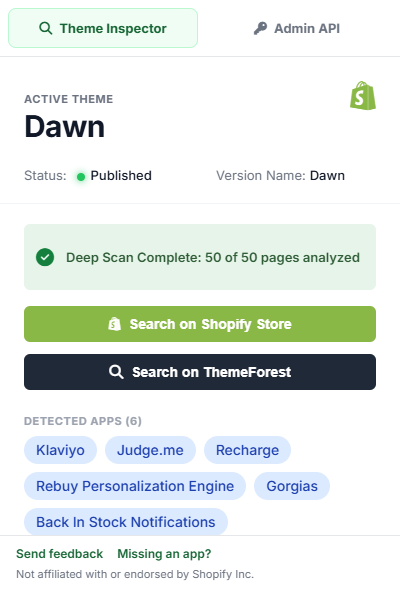
Everything a store is built with, in one click
Built for Shopify developers, agencies, designers and researchers who want to know how a store is put together.
Theme and version
The theme’s name and version, whether it is published or a preview, and one-click searches on the Theme Store and ThemeForest.
Installed apps
45+ app signatures plus the app blocks Shopify adds to theme pages, each linked to its Shopify App Store page.
Brand fonts
The fonts a store actually uses, ranked by how many pages use them, with a link to Google Fonts.
Social profiles
Instagram, Facebook, TikTok, Pinterest, YouTube, X and LinkedIn profiles, never share buttons.
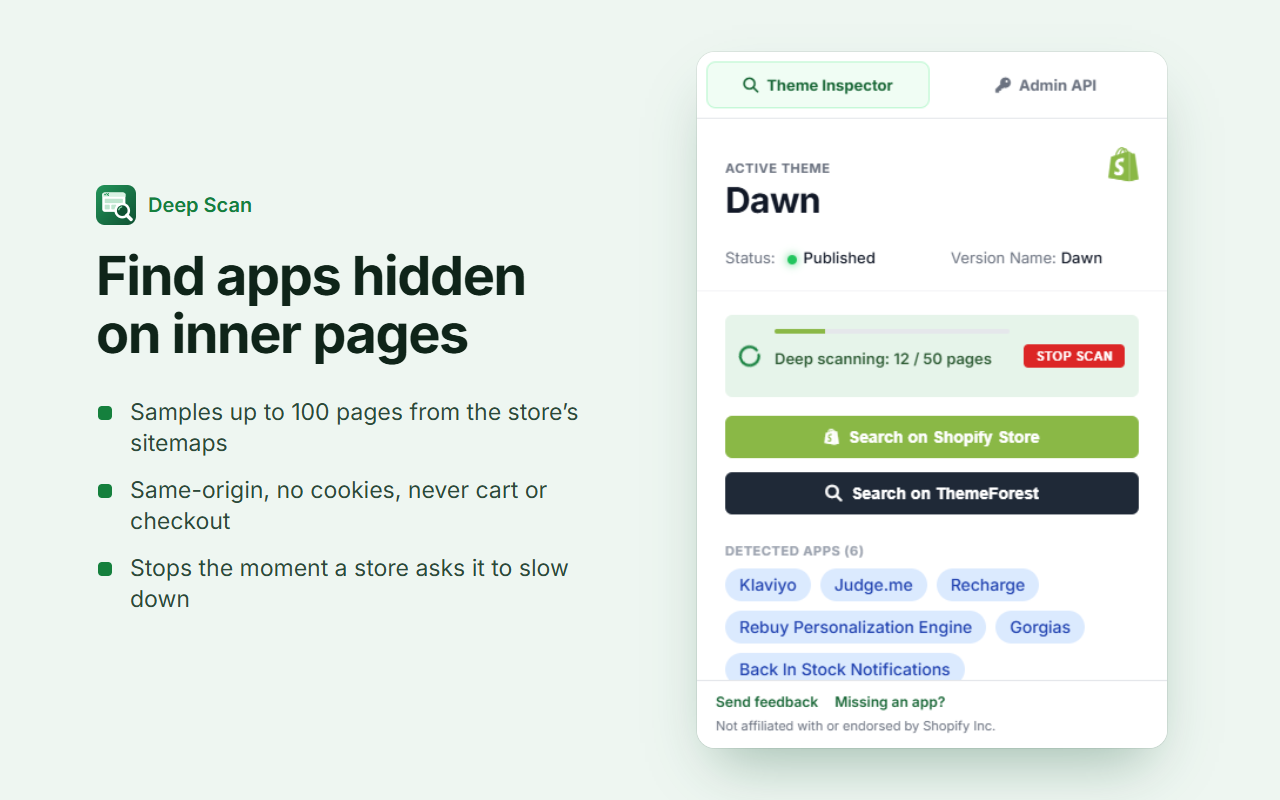
Deep Scan finds what the home page hides
Many apps only load on product or collection pages. Deep Scan samples up to 100 public pages across the store’s sitemaps and adds anything it finds, live.
- Only requests pages on the store you’re viewing
- Sends no cookies and never opens cart, checkout or account pages
- Pauses between requests and stops if the store asks it to slow down
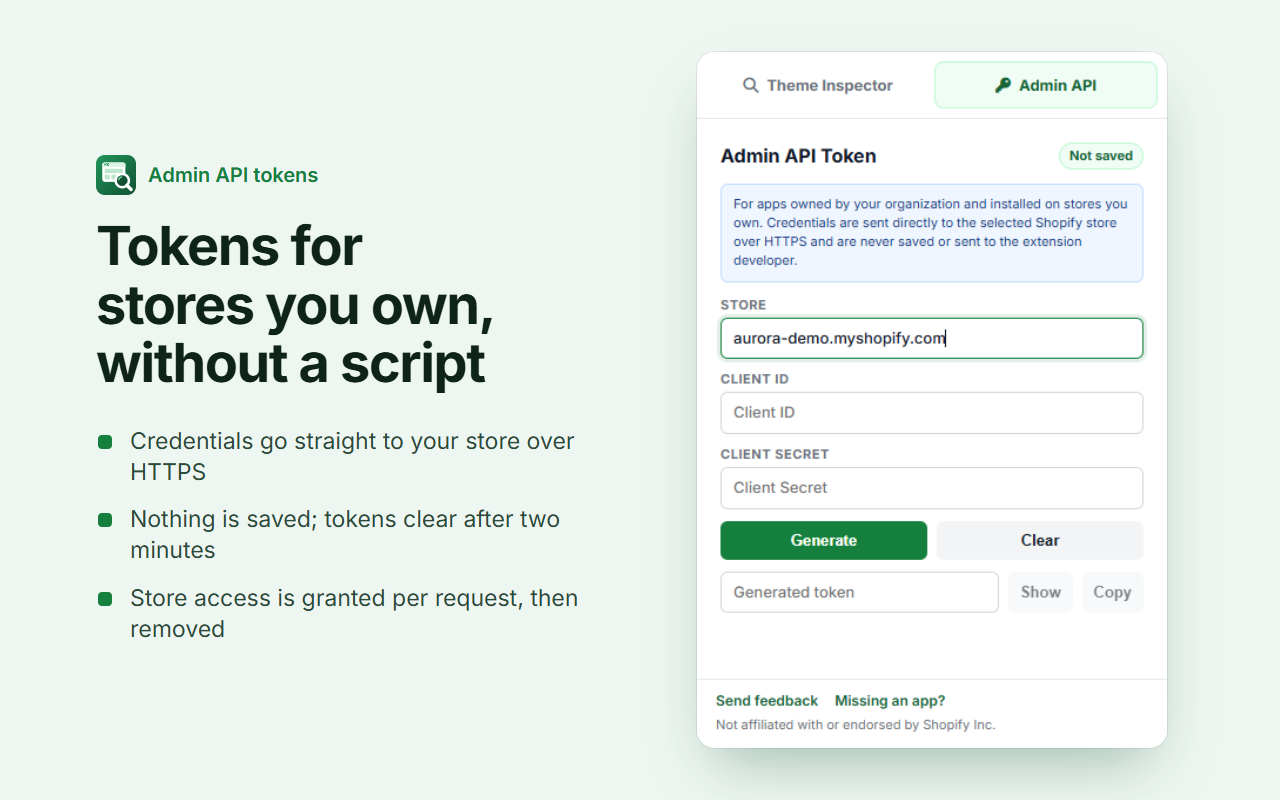
Admin API tokens for stores you own
Generate a short-lived Admin API token with Shopify’s client-credentials flow, without writing a script.
- Credentials go straight to your store over HTTPS
- Nothing is saved; the token clears after two minutes
- Access to your store is granted per request, then removed
Frequently asked questions
How do I find out what theme a Shopify store is using?
Install Theme Inspector for Shopify, open the store in Chrome and click the extension icon. The popup shows the theme name, its version and whether it is the published theme or an unpublished preview, with one-click searches on the Shopify Theme Store and ThemeForest.
How can I see which apps a Shopify store uses?
Open the store and click the icon: apps on the current page are listed immediately, using 45+ built-in signatures and the app blocks Shopify adds to theme pages. Click Deep Scan to check up to 100 more pages, since many apps only appear on product or collection pages.
Is Theme Inspector for Shopify free?
Yes. It is free, has no account or sign-up, and shows no ads.
Does it collect my browsing data?
No. It runs only when you click it, reads only the tab you are viewing, and keeps results in the popup until you close it. There is no analytics, tracking or developer server.
What does Deep Scan do, and is it safe for the store?
Deep Scan samples up to 100 public pages from the store’s sitemaps to find apps, fonts and social links that are not on the page you opened. It only requests pages on that store, sends no cookies, never opens cart, checkout or account pages, pauses between requests, and stops as soon as the store signals rate limiting.
Why doesn’t it detect an app I know is installed?
Some apps only load on specific pages or leave no public trace in the storefront. Run Deep Scan first; if the app is still missing, use the “Missing an app?” link in the popup and it will be added in a future update.
Does it work on headless or Hydrogen storefronts?
Theme detection needs Shopify’s Online Store theme data, which headless storefronts do not expose, so the theme will show as not found. App and font detection may still find partial results.
What is the Admin API token tool for?
Developers can generate a short-lived Admin API access token with Shopify’s client-credentials flow, for an app their organization owns that is installed on a store they own. Credentials go directly to that store over HTTPS and are never saved; the token is masked and cleared after two minutes.
Is Theme Inspector for Shopify made by Shopify?
No. Theme Inspector for Shopify is an independent project and is not affiliated with or endorsed by Shopify Inc.